Google Introduces .zip and .mov TLDs: A New Attack Vector?
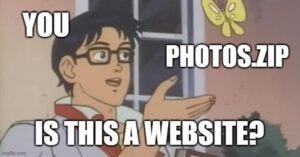
On May 3, 2023, Google tweeted that they are now granting the opportunity for people to buy websites that end with the .zip and .mov top-level domains (TLD). These TLDs have been available since 2014, but were significantly more expensive. With this introduction of new sites that can use the popular file extensions instead of well-known TLDs such as .com, .net, and .org, Google has introduced a whole new attack vector that malicious actors may be able to leverage.
What is a Top-Level Domain (TLD)?
As described by Cloudflare,
“In the DNS (Domain Name System) hierarchy, a top-level domain (TLD) represents the first stop after the root zone. In simpler terms, a TLD is everything that follows the final dot of a domain name. For example, in the domain name ‘google.com,’ ‘.com’ is the TLD.”
Now DNS providers such as Google and Namecheap, with the approval of ICANN (Internet Corporation for Assigned Names and Numbers), can start issuing out .zip and .mov (an MPEG 4 container file that is primarily used with Apple’s QuickTime program) TLDs.
Why Should You Care About .zip or .mov TLDs?
You might be asking, “Why should I care about .zip or .mov?” Well, say you receive an email from your colleague, or possibly someone impersonating your colleague using Direct Send, and in the body of the email, they include a hyperlink that ends with .zip.
For most of us, a .zip file may be recognized as a compressed file extension, often containing a malicious application or piece of software that could propagate throughout the network. Alternatively, this type of link may establish command and control (C2) via an external server.
In another scenario, such a link might lead to a phishing landing page that asks for your credentials to open or download a file in Google Drive or Dropbox. Either way, you could be:
- Introducing malware into your system.
- Entering your credentials into a fake website disguised as a legitimate Microsoft or Google Account login page.
Malicious actors may use this breaking news to develop new ways of attempting to introduce malware, steal credentials, or spam users through these new .zip and .mov TLDs.
Conclusion
To defend against these risks, the best steps you can take include:
- Blocking all
.zipand.movURLs in spam filtering, especially those from external sources. - Ensuring that your user base is educated on the latest phishing schemes and updated on phishing awareness training.
- Whenever someone receives a
.zipfile extension in a hyperlink via email, it’s important to think twice before clicking on it. It could be a phishing link, a threat actor attempting to have an unsuspecting user download malicious software, or a safe-to-download file, but it’s always worth verifying before taking action.